
cicd-持续集成与持续交付
在快节奏的数字化时代,软件交付的速度和质量直接决定了企业的竞争力。传统的开发模式中,手动构建、测试和部署不仅效率低下,还容易引入人为错误,导致交付延迟或线上故障。持续集成与持续交付/部署的出现,彻底改变了这一局面。其通过自动化构建、测试和部署流程,让开发团队能够快速、安全、可靠地交付软件。无论是小型创业公司还是大型企业,采用CI/CD都能显著提升开发效率,减少人为失误,并加快产品迭代速度
0.CI/CD概况
CI/CD是敏捷开发和精益理念在DevOps中的实践,是一种以持续集成/交付/部署为手段,实现高效、安全、快速的软件交付方式
- CI-Continuous Integration:持续集成是在源代码变更后自动检测、拉取、构建和在大多数情况下进行单元测试的过程
- CD-Continuous Delivery和Continuous Deployment:持续交付和持续部署,持续交付,完成ci中构建及单元测试和集成测试的自动化流程后,可自动将已验证的代码发布到服务器,持续部署,意味着所有的变更都会被自动部署到生产环境中,当然出于业务考虑,可以选择不部署
补充概念:
敏捷开发是一种强调快速响应变化与持续交付价值的软件开发方法论,强调人际互动、快速和频繁的交付、增量价值交付、分散价值、客户协作反馈循环和持续改进
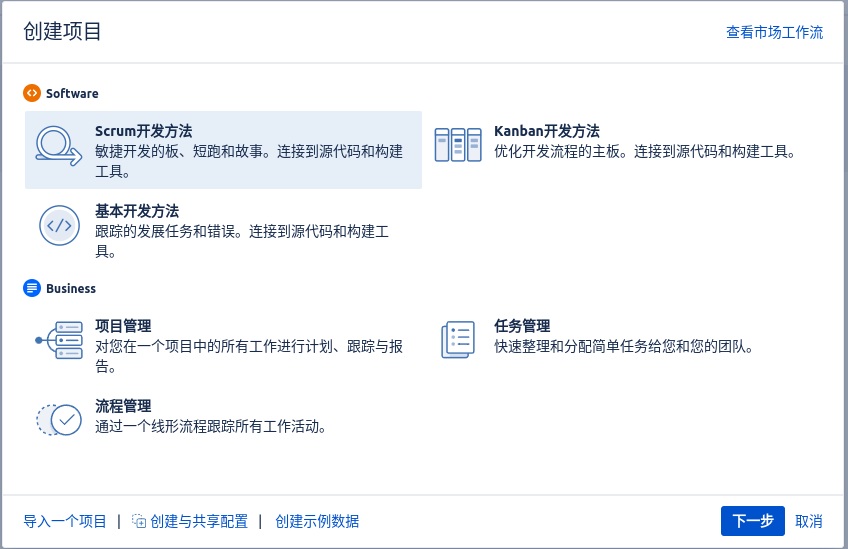
敏捷开发方法框架是指一组具体的流程、规则、角色和工具集合,用来指导团队按照敏捷原则进行软件开发和项目管理。它是敏捷开发理念的具体落地形式,其中包括Scrum,Kanban,Lean,LeSS,SAFe,Jira原生支持Scrum和Kanban,也可通过插件支持其他的敏捷开发框架
- Scrum是一种敏捷开发方法框架,专门用来管理复杂项目中的软件开发过程。它提供了一套明确的角色、事件和工件(工作产出),帮助团队在短周期内不断迭代、持续交付可用的软件
- Kanban是一种可视化、渐进式的工作管理方法,起源于丰田生产系统(TPS),后来被引入软件开发及知识工作领域,成为敏捷开发的重要实践之一。它强调持续改进(Kaizen)、限制在制品(WIP)和优化工作流程,帮助团队提高效率并减少浪费
工具选择
要具体落实CI/CD开发模式,通常需要在代码托管、持续集成、持续部署、构建发布、环境管理等各个环节,分别选择合适的工具组合进行实施。
-
代码托管
代码托管工具五花八门,比如GitHub、GitLab、Gitea、Bitbucket、SVN等,并且其中很多现代代码托管平台如GitLab、GitHub不仅仅是代码仓库,还内置了CI/CD功能,提供一体化的DevOps支持
-
持续集成
- Jenkins
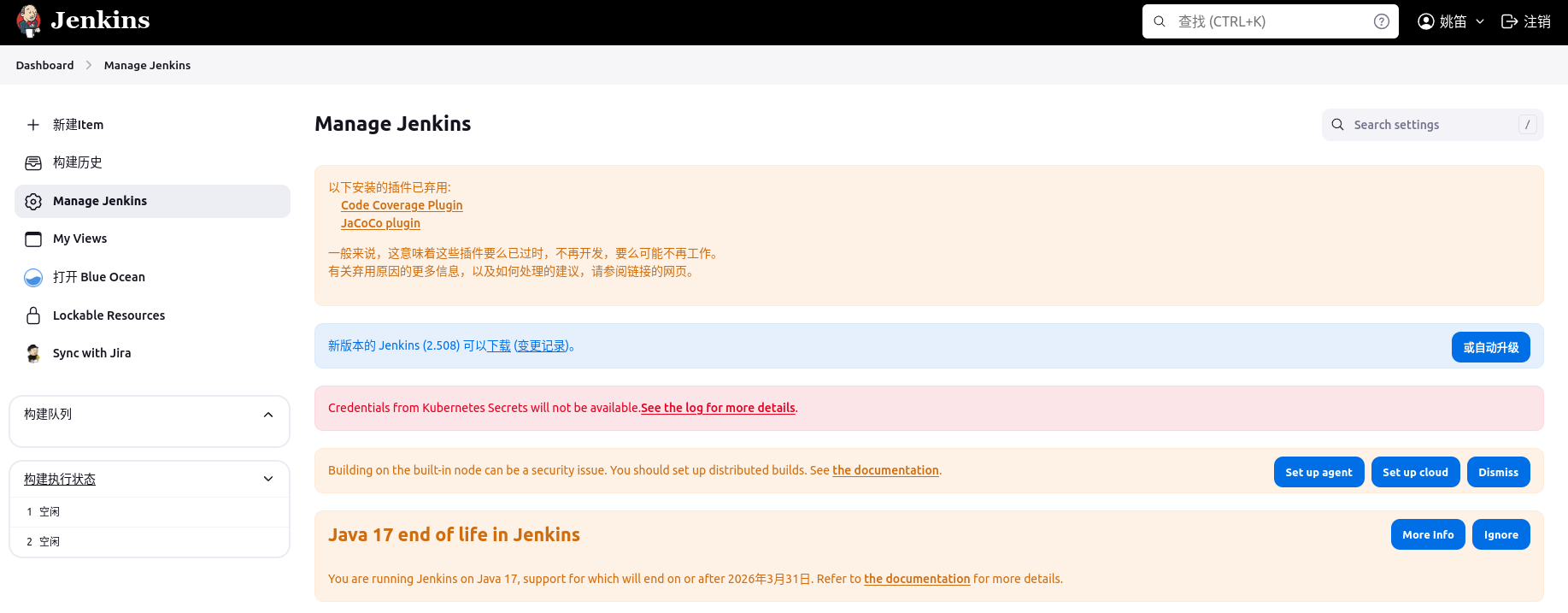
- 优点:
- web界面管理,社区强大
- 插件丰富,文档丰富
- 历史久远(Hudson Java编写2005发布->Sun收购),应用广泛
- 分布式任务,功能强大
- 缺点
- 插件及自生安装复杂
- 启动慢,运行慢,资源消耗高
- 插件编写语言只支持Groovy和Java
- 学习成本高,专人维护
- 优点:
- Github Action
- 优点:
- 轻量级,启动快,资源占用少,运行快
- 云原生支持docker,新兴CI/CD工具(Github 2019)
- 编写yaml文件,Pipeline语法比Jenkins-File语法简单
- 本机直接测试Pipeline是否正确
- 插件编写简单
- 缺点:
- 插件有限, 需要公网环境
- 大型项目复杂的工作流程, 不如Jenkins
- 优点:
- Drone
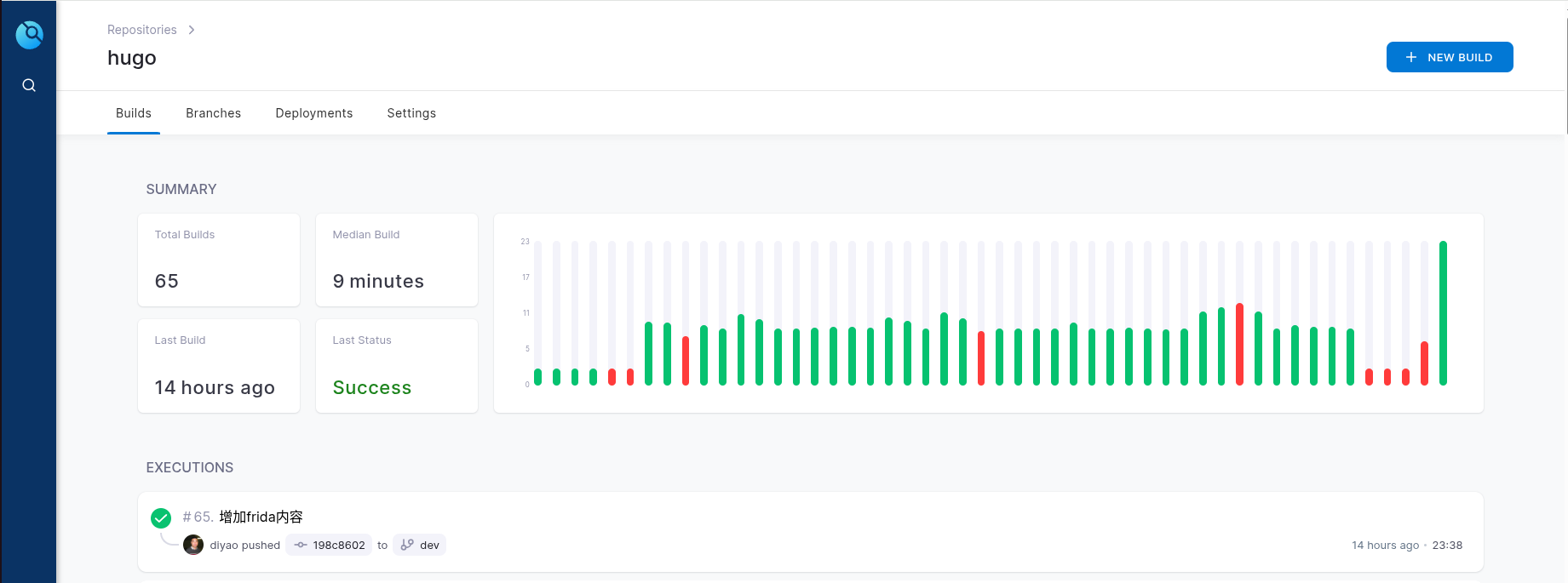
- 优点:
- 云原生设计,轻量易部署,适合K8s和GitOps场景
- Gitea/GitLab等集成良好
- YAML编排简单直观,插件机制灵活
- 支持Secrets管理、触发器等CI常见功能
- 缺点:
- 文档较简略,相比Jenkins/GitLab CI
- UI功能简单,权限管理能力较弱
- 优点:
- Travis-ci
- GitLab
- Gitea
- Jenkins
-
持续部署
持续部署工作通常利用持续集成平台的相关插件完成,插件帮助自动化地将代码部署到不同环境
- drone的插件市场https://plugins.drone.io/,列出其支持的部署插件,及其详细用法
- jenkins内置的插件管理界面,可以安装最新的持续部署相关插件
- github市场的插件更为丰富https://github.com/marketplace
1.应用案例
Gitea案例
Gitea工作流
Gitea Actions的配置文件叫做workflow文件,存放在代码仓库的.gitea/workflows目录。workflow文件采用YAML格式,文件名可以任意取,但是后缀名统一为.yml。一个库可以有多个workflow文件。Gitea只要发现.gitea/workflows目录里面有.yml文件,就会自动运行该文件。Gitea Actions的语法与GitHub Actions以及Drone Pipeline高度兼容,因此可以直接参考GitHub的工作流规范来编写Gitea的工作流。
常用配置项:
- name: 工作流名称
- on: 触发条件, 通常是某些事件[push, fork], on.push.branches: master, 只有master分支发生push事件时,才会触发workflow
- jobs: 持续集成的任务列表, 包含多个job
- jobs.id.runs-on: 当前job的运行环境
- jobs.id.steps: job的运行步骤
语法查询: https://docs.github.com/zh/actions/using-workflows/workflow-syntax-for-github-actions
插件市场: https://github.com/marketplace?type=actions
name: test
run-name: 构建test by @${{ github.actor }}
env:
  JAVA_HOME: /usr/local/java
  JAVA_VERS: 8u144-linux-x64
on:
  schedule:
    - cron: '*/2 * * * *'

jobs:
  compile:
    runs-on: default
    steps:
      - name: checkout
        uses: actions/checkout@v3
        with:
            repository: ''
            token: ''
      - name: compile
        run: |
          mvn build
Gitea模块
gitea actions是由action.yaml描述的可复用的工作流组件,是用来描述一个可复用组件的元数据文件,其封装特定的逻辑,如构建、部署、发送通知等。
语法文档: https://docs.github.com/en/actions/creating-actions
| 类型 | Linux | macOS | Windows |
|---|---|---|---|
| JavaScript | 支持 | X | X |
| Docker容器 | 支持 | 支持 | 支持 |
| 复合操作 | 支持 | 支持 | 支持 |
## action.yaml

name: 'Simple Go Action'
description: 'A simple Gitea action written in go'
inputs:
  username:
    description: 'The username to print'
    required: true
outputs:
  time:
    description: 'The time when the action was called'
runs:
  using: 'go'
  main: 'main.go'
/* main.go */

package main

import (
    "fmt"
    "os"
    "time"
)

func main() {
    username := readInputs()
    fmt.Printf("username is %s\n", username)
    err := writeOutputs("time", time.Now().Format("2006-01-02 15:04:05"))
    if err != nil {
        panic(err)
    }
}

func readInputs() string {
    username := os.Getenv("INPUT_USERNAME")
    return username
}

func writeOutputs(k, v string) (err error) {
    msg := fmt.Sprintf("%s=%s", k, v)
    outputFilepath := os.Getenv("GITHUB_OUTPUT")
    f, err := os.OpenFile(outputFilepath, os.O_APPEND|os.O_CREATE|os.O_WRONLY, 0644)
    if err != nil {
        return
    }
    defer func() {
        if cErr := f.Close(); cErr != nil && err == nil {
            err = cErr
        }
    }()
    if _, err = f.Write([]byte(msg)); err != nil {
        return
    }
    return
}
# .gitea/workflows/build.yaml

name: 'Test Go Action'
on: [push]
jobs:
  use-go-action:
    runs-on: ubuntu-latest
    steps:
      - name: Setup Go
        uses: actions/setup-go@v3
        with:
          go-version: '1.20'
      - name: Use Go Action
        id: use-go-action
        uses: <action-url>
        with:
          username: foo
      - name: Print Output
        run: echo 'output time is ${{ steps.use-go-action.outputs.time }}'
Gitlab案例
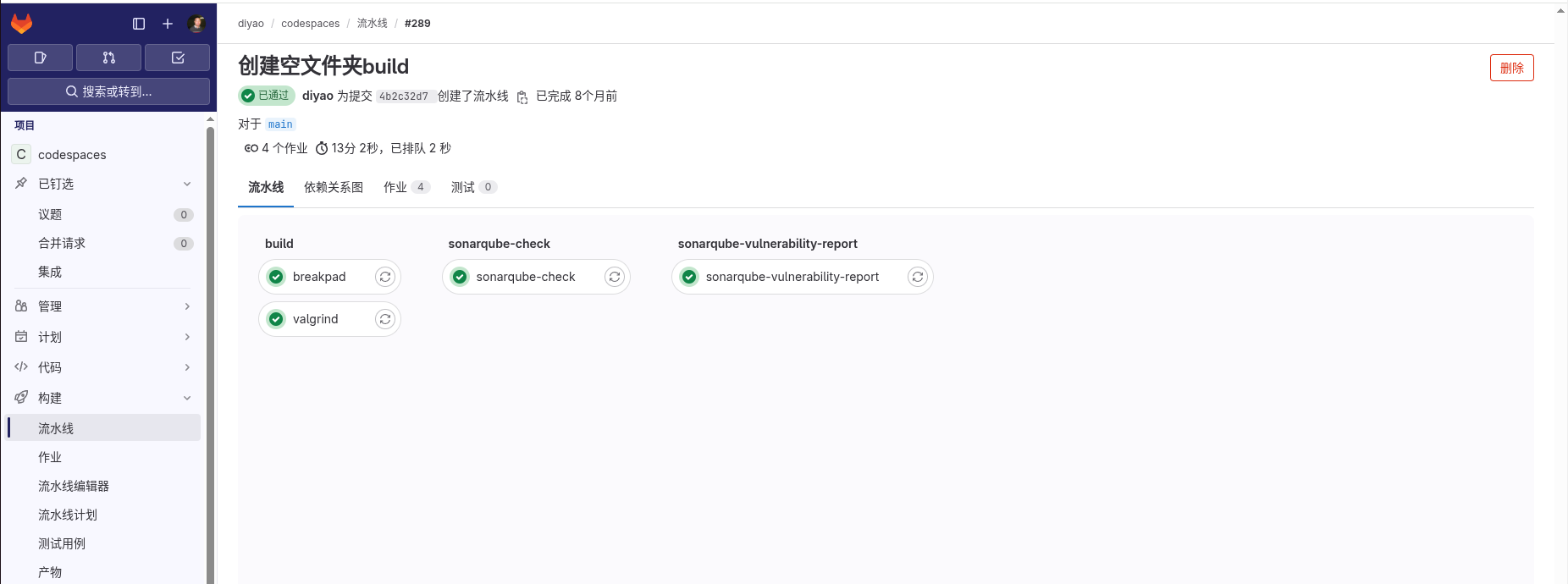
gitlab pipeline将构建过程分解成若干stages步骤,在任务归属与具体的某一个步骤,来组织构建过程
具体的构建语法需要参考,gitlab官方文档,https://docs.gitlab.com/ci/pipelines/
---
default:
  image: registry.diyao.me/diyao/codespaces
  tags:
    - resources.docker
  cache: &global_cache
    key: $CI_COMMIT_REF_SLUG-$CI_COMMIT_SHA
    paths:
      - ./build/

stages:
  - build
  - sonarqube-check
  - sonarqube-vulnerability-report
  - email

breakpad:
  stage: build
  script: |
    mkdir -p ${CI_PROJECT_DIR}/build
    cppcheck -v --enable=all --xml ./breakpad/src/*  2> ./build/breakpad.cppcheck
    cd ${CI_PROJECT_DIR}/breakpad
    cmake -S . -B build && cmake --build build 2>&1 | tee ../build/breakpad_build.log
  artifacts:
    paths:
      - ./breakpad/build/client
      - ./breakpad/build/server
      - ./breakpad/build/inp

valgrind:
  stage: build
  script: |
    mkdir -p ${CI_PROJECT_DIR}/build
    cppcheck -v --enable=all --xml ./valgrind/src/*  2> ./build/valgrind.cppcheck
    cd ${CI_PROJECT_DIR}/valgrind
    cmake -S . -B build && cmake --build build 2>&1 | tee ../build/valgrind_build.log
  artifacts:
    paths:
      - ./valgrind/build/basic
      - ./valgrind/build/stack_register

sonarqube-check:
  stage: sonarqube-check
  image:
    name: sonarsource/sonar-scanner-cli:5.0
    entrypoint: [""]
  variables:
    SONAR_USER_HOME: "${CI_PROJECT_DIR}/.sonar"
    GIT_DEPTH: "0"
  cache:
    <<: *global_cache
  script:
    - sonar-scanner -X
  allow_failure: true
  only:
    - merge_requests
    - master
    - main
    - develop
    - dev

sonarqube-vulnerability-report:
  stage: sonarqube-vulnerability-report
  script:
    - 'curl -u "${SONAR_TOKEN}:" "${SONAR_HOST_URL}/api/issues/gitlab_sast_export?projectKey=diyao_codespaces_AZF1t_qA6T_BwVCrbfA-&branch=${CI_COMMIT_BRANCH}&pullRequest=${CI_MERGE_REQUEST_IID}" -o gl-sast-sonar-report.json'
  artifacts:
    expire_in: 1 day
    reports:
      sast: gl-sast-sonar-report.json
  dependencies:
    - sonarqube-check
  allow_failure: true
  only:
    - merge_requests
    - master
    - main
    - develop
    - dev
2.Todo
- 详细介绍drone pipeline相关语法
- 学习node语言编写action
- 添加jenkins的pipeline相关案例